
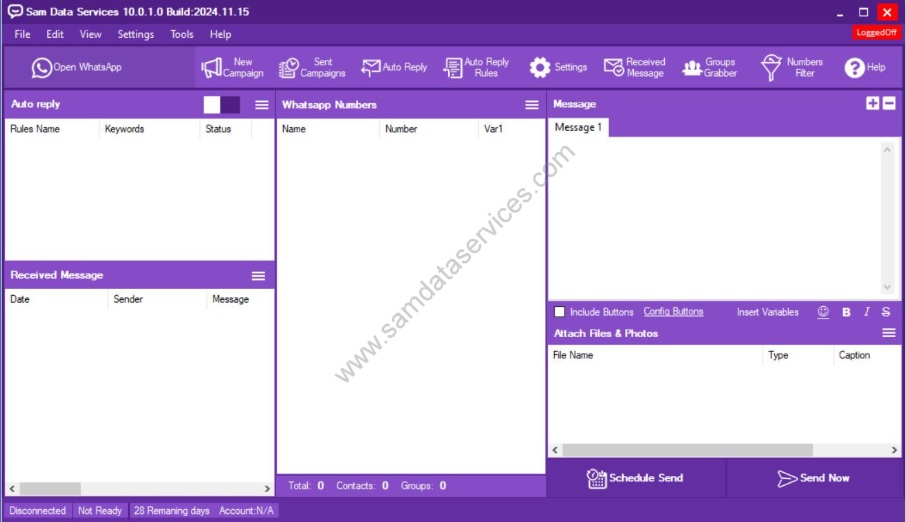
Tag: Focus bulk whatsapp sender

  • Set Up WhatsApp Marketing Automation in 5 Minutes (Free Tool)

    Set Up WhatsApp Marketing Automation in 5 Minutes (Free Tool)

    Tired of sending WhatsApp messages one by one to your customers? I totally get it – I’ve been there! As someone who’s helped over 5,000 businesses automate their WhatsApp marketing, I can tell you that Focus Bulk WhatsApp Sender has been a complete game-changer. Imagine reaching 1,000+ customers with personalized messages in just minutes instead of hours. That’s exactly what you’ll be able to do after following this simple 5-minute installation guide.

    What you’ll achieve after installation: Send unlimited bulk WhatsApp messages , Import contacts from Excel/CSV files , Schedule campaigns for optimal timing, Track message delivery and responses , Automate customer follow-ups.

    Install Focus Bulk WhatsApp Sender in minutes with the following step-by-step installation guide.

    Step 1- Download Your Marketing Automation Tool:

    • To begin, Click here to access the Focus Bulk WhatsApp Sender product page.
    • Then click on the Download button. This will direct you to the download page.
    Install BotMaster Bulk WhatsApp Sender dashboard
    • Then, fill in your personal details (Name, Email, Country) and click the Download button.
     BotMaster Bulk WhatsApp Sender download page demonstration

    Step 2: Extract the Files:

    • First, locate your downloaded ZIP file on your computer (usually in your Downloads folder). Right click on the ZIP file and then select “Extract All.” Choose a place on your computer to extract the files (e.g., create a new folder or your Desktop).
    • Finally, click “Extract.”
    extraction files of botmaster bulk whatsapp sender
     WhatsApp Sender click extract demo

    Step 3-Begin the Focus WhatsApp Installation:

    • First, open the folder where you extracted the files.
    • Inside the folder, there should be the Focus Bulk WhatsApp Sender installation file.
    • To start the installation, double click on the installation file.
    installation process guide of bot master bulk whats app sender

    Now, let’s go through the installation steps.

    Step 4-User Account Control :

    • At this stage, a User Account Control (UAC) prompt may pop up and ask if you would like to allow the application to make changes to your device. This is just a security feature. Click “Yes” to allow the install.

    Step 5- The Installation Process:

    • Now, the Focus Bulk WhatsApp Sender installation will now start.
    • To proceed, just click “Next” to move through the installation steps from here on.
    • There MAY be a step where you are asked to specify an install location. If you don’t know, it’s usually okay to just go with the default location.
    • Click “Next” when you are done.
    proceed by clicking next demo
    files location option of botmaster

    Additional Tasks:

    • If your installation is generic, just prior to the final confirmation message, there may be a dialog box with the option for additional tasks. Typically, it will let you decide if you want a desktop shortcut or a Start Menu folder.
    • Go ahead and check off whichever tasks you want. In general, I would advise you to create a desktop shortcut as this is the simplest option. Click “Next.”
    additional task option

    Step 6-Finish the Installation:

    • The final confirmation message will appear.
    • Click “Finish” to close the installation wizard.
    finish to complete demo

    For more information about Focus Bulk WhatsApp Sender’s features, visit our product page- https://www.samdataservices.com/bulk-whatsapp-sender-software-download.aspx

    If any queries arise, you can be contact us through email at samdataservices(at)gmail.com or by filling out the contact form.